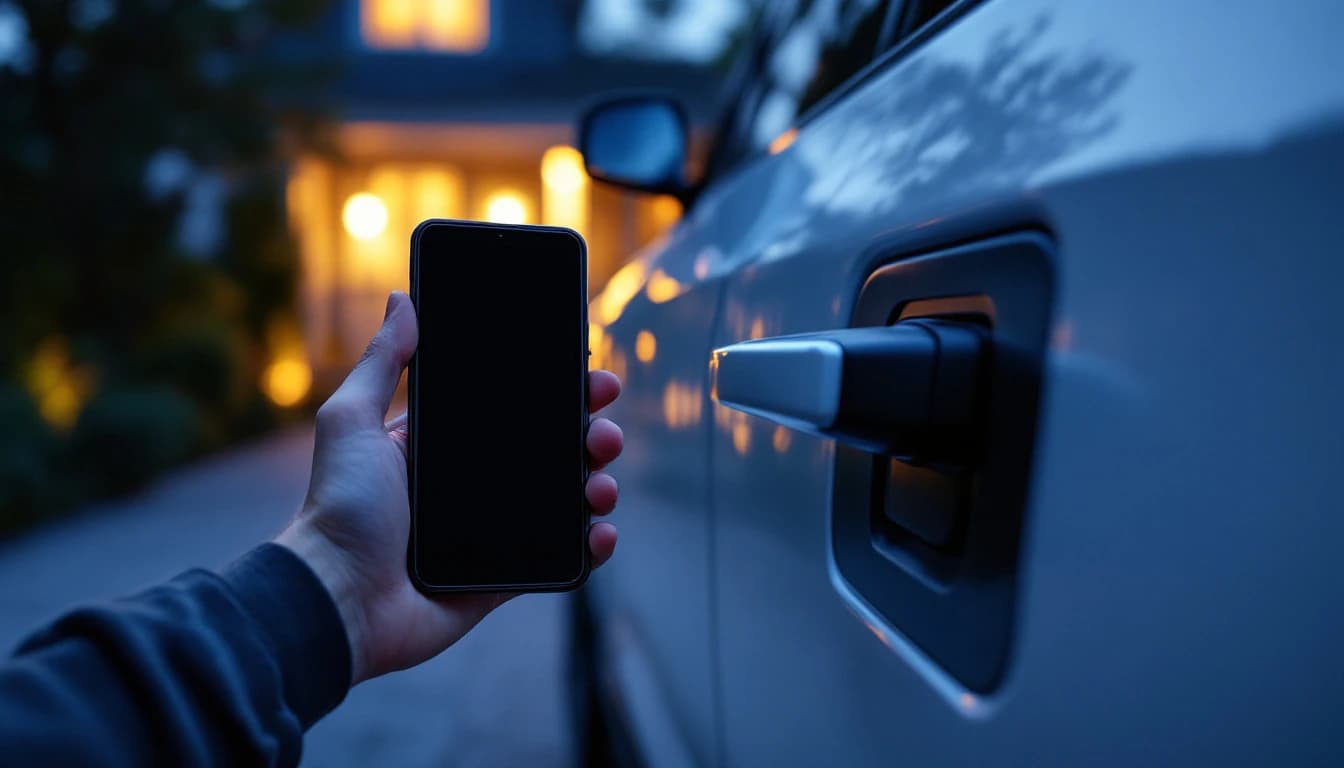
Phone Key Stopped Working After a Phone Upgrade in Frisco, TX
Your digital car key died after a new phone, an iOS update, or a factory reset. Here is what actually broke, the diagnostic order, and what it costs to fix.
Phone Key Stopped Working After a Phone Upgrade in Frisco, TX
You upgraded your phone. Or restored it from a backup, or swapped carriers, or accepted an operating-system update overnight. Now you are standing next to your car and the door will not unlock, and the only key you have been carrying for the last eight months is the phone in your hand.
The short version: your car is fine, your phone is fine, and the credential that linked them is gone. A digital key is bound to a specific device and a specific account, and a new phone is a new device. Almost none of the fixes below cost anything. The one that does is the fix you should have done a year ago, and it is a physical spare.
This guide walks the diagnostic in order, from the free fixes to the ones that need us. Frisco Car Key is a fully mobile automotive locksmith serving Frisco, Plano, McKinney, Allen, The Colony, and Prosper. Frisco Car Key, (469) 402-9781, contact@friscocarkeys.com.
First: Are You Standing Outside a Locked Car Right Now?
If so, skip to the bottom of this section and come back for the theory.
If you have a physical fob or key card anywhere within reach, use it. That is what it is for. A key card held against the door handle, or a fob in a drawer at home, resolves this in minutes rather than hours.
If you have a second driver on the account whose phone still works, their device is a separate credential and is very likely unaffected. A ten-minute drive from a spouse beats every other option on this page.
If neither applies and you are stranded, call us. We can get you into the vehicle, and depending on the make and the situation we can produce a working physical key. What we cannot do - and neither can anyone else standing next to your car with a laptop - is re-register your phone. That part is explained below and it is the single most important thing on this page.
What a Digital Key Actually Is
Understanding the architecture takes two minutes and it saves you from paying somebody to fix the wrong layer.
Your vehicle keeps a list of authorized credentials. A physical fob is one kind of credential: a chip that answers a cryptographic challenge over short-range radio. A digital key is a different kind - a credential stored in your phone's secure hardware, presented over Bluetooth Low Energy or, on newer implementations, ultra-wideband for precise distance measurement. We covered the difference between those two radio technologies in our guide to UWB versus Bluetooth phone keys.
The critical property is this: the credential lives in your phone's secure element, and it is bound to that physical device. It is not a file in an app that copies across when you restore a backup. It is not stored in the cloud in a form another handset can use. Device-bound is the whole security model - it is why somebody who steals your account password cannot simply install an app and drive your car away.
Which means a new phone genuinely does not have your key. Not because something broke, but because that is how it was designed to work.
Above the credential sits an account layer: the manufacturer's app, your login, and on many vehicles a connected-services subscription. That layer is what authorizes issuing a new credential to a new device. It is also where the second-most-common failure lives, which is an expired or lapsed subscription.
The Diagnostic, In Order
Work through these in sequence. Most people are fixed by step three.
Step 1: Confirm it is the phone key and not the car
Try a physical fob or key card if you have one. If the fob opens the car normally, the vehicle, its battery, and its receiver are all healthy and the problem is isolated to the digital credential. If the fob also does nothing, stop - you have a different problem, most likely a dead 12-volt battery, and our guide to a dead 12-volt battery with a phone key is the right page.
This step matters because a flat 12-volt battery presents exactly like a dead phone key: no unlock, no handles, nothing. Owners on electric vehicles are especially prone to this misdiagnosis, because the huge traction battery can be at 80 percent while the small conventional battery that actually powers the door locks is flat.
Step 2: Check the obvious phone-side conditions
Bluetooth on. Not in airplane mode. Not in a battery-saver mode aggressive enough to suspend background radios. Location permission granted to the manufacturer's app, because on several implementations the key will not present without it. Phone actually charged - some vehicles support a low-power reserve mode where the credential still works briefly after the phone appears dead, and some do not.
Then restart the phone. It is a cliché because it works: the radio stack gets into a bad state more often than anyone admits.
Step 3: Open the manufacturer's app and check that you are signed in
This is where most post-upgrade failures actually live, and it is free to fix.
A new phone means a fresh app install, which means a fresh login. If the app is showing you a sign-in screen, the key was never going to work. Sign in with the account that owns the vehicle - not a family member's account, not a second account you made at the dealership - and let the app finish setting itself up.
While you are there, check the subscription status. Digital key features on many vehicles sit behind a connected-services plan. If the trial lapsed, the key stops. Nothing is broken; the entitlement expired.
Step 4: Re-add the key to the new device
If you are signed in and the key still is not present, you need to issue a new credential to the new phone. The exact path varies by manufacturer, but the shape is consistent: a "set up digital key," "add key," or "activate key" flow inside the app, which typically requires you to be physically in the vehicle, sometimes with a working physical key present, and sometimes with the vehicle in a specific state such as accessory or ready mode.
Some manufacturers require the old device to release the key first. If you still have the old phone, do that before wiping it. If the old phone is already gone, most implementations let you remove the stale device from a key-management screen in the app, or through the manufacturer's support channel.
Step 5: If the app refuses, the problem is account-side
At this point you are dealing with entitlement, account state, or vehicle ownership records - a lapsed subscription, a vehicle still registered to a previous owner, a mismatch between the account holder and the person holding the phone, or a device limit reached.
None of that is locksmith work, and you should be suspicious of anybody who says it is. Registering a phone as a vehicle credential is an account-level operation performed through the manufacturer's own infrastructure. It is bound to your account, not to diagnostic equipment plugged into the car. That design protects you: it means nobody standing next to your parked vehicle with a laptop can bind their phone to it.
Your path here is the manufacturer's support line or the dealer, and it is usually free.
Which Manufacturers Behave Which Way
The pattern differs enough between ecosystems that generic advice fails. Some practical notes on the systems we see most in Frisco.
Tesla. The phone key is an app-and-account credential paired to the vehicle, and the key card is the physical backup. A new phone means re-pairing through the app, generally requiring a key card present at the vehicle. If both the phone key and every key card are gone, that is a genuinely different and much larger problem, which we cover in our guide to Tesla Model 3 and Model Y all keys lost. The broader relationship between the card and the phone key is laid out in our Tesla key card and phone key guide.
Hyundai, Kia, and Genesis. Digital Key implementations pair a phone, and on supported devices a smartwatch, alongside a slim near-field card. The card is battery-free and genuinely robust, which makes it an excellent wallet backup. Setup and re-registration run through the manufacturer's app and connected-services account. Our Hyundai Tucson and Santa Fe digital key guide walks the practical side, and the Ioniq 5 and Ioniq 6 piece covers the electric side of the lineup.
BMW and Mercedes. Both operate wallet-integrated digital keys on supported handsets, tied to the manufacturer account and, on several vehicles, a connected-services entitlement. A phone change means re-provisioning through the account. See our notes on BMW Digital Key Plus with iPhone and Mercedes me digital key.
Ford and Lincoln. Phone-as-a-key runs through the manufacturer app with the vehicle's own pairing procedure, and physical fobs remain fully functional alongside it. Our Lincoln and Ford phone-as-a-key guide has the detail.
Across every one of them, the same division holds: fob work is locksmith work, phone credentials are account work.
What We Can Do, Stated Honestly
Here is our side of the line, without marketing softening.
We can cut and program a physical key or fob for your vehicle. That is the actual fix for the underlying problem, which is that you had one credential and it lived in a device you replaced. A proximity smart key falls in the $120 to $500 band; a conventional key or fob replacement runs $85 to $450; a spare cut while another key still works is $50 to $300.
We can cut the hidden emergency blade inside a proximity fob, which aftermarket fobs almost always arrive with uncut and which is worthless until it is cut and physically tested in the door lock.
We can get you into a locked vehicle without damage, in the $75 to $200 band.
We can diagnose whether the failure is the credential, the vehicle's receiver, a body control module, or a flat 12-volt battery - and tell you which, before anybody spends money. Module-level work sits in the $200 to $800 band and is a genuinely different job from key work.
We cannot register your phone, and neither can any other independent shop. Anyone claiming they can either does not understand the architecture or is planning to charge you for a call to the manufacturer's support line that you can make yourself for free.
Laid out as a table, the division is simple:
| What failed | Who fixes it | Cost (Aug 2026) |
|---|---|---|
| Digital key missing after a new phone | You, in the manufacturer's app | Typically free |
| Lapsed connected-services subscription | You or the dealer, account-side | Subscription price |
| Vehicle registered to a previous owner | Manufacturer support or dealer | Typically free |
| No physical key at all, push-button start | Locksmith - smart key programming | $120 - $500 |
| Physical key or fob replacement | Locksmith - car key replacement | $85 - $450 |
| Spare cut while another key still works | Locksmith - key duplication | $50 - $300 |
| Locked out of the vehicle right now | Locksmith - car lockout | $75 - $200 |
| Receiver, immobilizer, or body module fault | Locksmith - module programming | $200 - $800 |
| Flat 12-volt battery | Battery service | Varies by vehicle |
The rows that cost nothing are the ones people most often pay somebody for, which is the whole reason this page exists.
"The digital key calls almost never need a locksmith on the day. They need somebody to tell the owner, calmly, that nothing is broken and the app fixes it in ten minutes. What they do need is for that owner to add a physical key afterwards, because the reason they were stranded was never the phone - it was that the phone was the only credential they had." - a Frisco Car Key mobile locksmith technician credentialed for automotive immobilizer work
The Real Lesson: A Phone Key Is Not a Spare Key
The argument is simple and owners consistently underrate it.
A phone key introduces a dependency chain. For your phone to open and start the car, all of the following must hold simultaneously: the phone has charge, the relevant radios are enabled and working, the manufacturer's app is installed and signed into a valid session, the digital key registration for that specific device is still active, any connected-services subscription is current, and the phone is physically with you and undamaged.
Each link is individually reliable. The chain is less reliable than a piece of plastic in a drawer that requires nothing.
The realistic failure modes are boring rather than exotic. Phone replaced and the registration does not survive. Operating-system update resets a permission. Subscription lapses quietly. Phone and only-fob leave the house in the same bag and the bag is stolen. Session expires and demands re-authentication at exactly the wrong moment - which, in our experience, is a parking garage at 11 p.m.
None of that argues against using a digital key. It argues for treating it as a third and fourth credential stacked on top of two physical keys, not as one of the two. That is also the practical reason to understand key sharing with family and valet before you need it, and why we keep writing about the digital key versus the physical fob as a backup.
The National Highway Traffic Safety Administration has credited immobilizer technology with a substantial long-term reduction in drive-away theft, and digital keys extend that security model rather than weakening it. The security is genuine. The availability is what people misjudge.
Before You Wipe the Old Phone
If you are reading this before the upgrade rather than after, three minutes of preparation saves the whole problem:
- Release the digital key from the old device through the manufacturer's app, before you factory reset or trade it in.
- Confirm you know the account credentials for the manufacturer app, not just the ones saved in a password manager you are also migrating.
- Check the connected-services subscription is current and not expiring in the same month.
- Physically locate your fobs or key cards and confirm they work. Not "I think there is one in the study." Hold it and press the button.
- Set up the digital key on the new device before returning the old one, so you have a fallback while the transfer is in progress.
And if step four turns up only one working physical key, that is the moment to add a second - while the first still works, at the $50 to $300 spare band rather than the all-keys-lost band. Our smart key and push-to-start service covers the proximity keys these vehicles use, and we come to Frisco and the surrounding communities.
Frequently Asked Questions
Why did my digital car key stop working after I got a new phone?
Because a digital key is bound to a specific physical device, not to your account alone. The credential lives in your phone's secure hardware and does not transfer through an iCloud or Android backup, so a new handset genuinely does not have it. That is the security model working as designed, not a fault. The fix is to sign into the manufacturer's app on the new phone and run the add-key or activate-key flow, which usually requires you to be in the vehicle and sometimes requires a working physical key present.
Can a locksmith re-register my phone as a car key?
No, and nobody outside the manufacturer's own systems can. Registering a phone as a vehicle credential is an account-level operation performed through the manufacturer's app and connected-services infrastructure, bound to your account rather than to diagnostic equipment plugged into the car. That is deliberate: it means nobody standing next to your parked vehicle with a laptop can bind their own phone to it. A locksmith can cut and program physical keys and fobs, open a locked vehicle, and diagnose module faults.
My phone key and my fob both stopped working. What now?
That combination usually means the problem is the vehicle rather than either credential. The most common cause is a flat 12-volt battery, which leaves the door locks, receiver, and push-button start with no power at all - very common on electric vehicles where the traction battery can be nearly full while the small conventional battery is dead. Other possibilities are a failed receiver or body control module. Diagnose before replacing anything, because a new key fixes none of those.
Do I need a subscription for my car's digital key to work?
On many vehicles, yes. Digital key functionality frequently sits behind a connected-services plan, often bundled free for an introductory period after purchase. When that trial lapses the key can simply stop working with no obvious warning, which owners reasonably mistake for a fault. Check your subscription status in the manufacturer's app before assuming anything is broken, and before paying anyone to diagnose it.
How much does it cost to get a physical key after relying on my phone?
If you still have one working physical key, a spare cut and programmed falls in the $50 to $300 band. If you have no working physical key at all, a proximity smart key sits in the $120 to $500 band and a conventional key or fob replacement in the $85 to $450 band, and the job takes longer because authorization must be established from scratch. The cheap version is the one you buy before you need it.
Should I stop using my phone as a car key?
Not at all - it is genuinely useful, especially for sharing access with family or a valet without handing over your only fob. The mistake is treating it as one of your two keys rather than as an extra layer on top of them. Keep two working physical credentials, then use the digital key freely. That way a phone upgrade, a dead battery, or a lapsed subscription is an inconvenience rather than a call from a parking garage.
I still have the old phone. Does that help?
Yes, considerably, and you should act before wiping it. Many implementations require the old device to release the digital key before a new device can claim it, so transferring while both phones are in hand is far simpler than recovering afterwards. If the old phone is already reset or traded in, most manufacturers let you remove the stale device from a key-management screen in the app or through their support channel.
References
- National Highway Traffic Safety Administration (NHTSA) - immobilizer technology and vehicle theft trends
- National Automotive Service Task Force (NASTF) - secure data release for vetted independent locksmiths
- Associated Locksmiths of America (ALOA) - professional standards and credentialing
- Federal Trade Commission (FTC) - consumer guidance on service scams
- AAA - roadside assistance call category data
- Insurance Institute for Highway Safety (IIHS) - keyless entry and vehicle security research
- Texas Department of Public Safety, Private Security Program - Texas locksmith regulation
Related Guides
Kia K4 Key Replacement in Frisco, TX: Smart Key, Spare Key and Digital Key 2
The Kia K4 replaced the Forte with a more connected key setup. Here is how the K4 smart key works, what a spare or replacement costs in Frisco, where Digital Key 2 fits, and how to avoid the expensive all-keys-lost visit.
Luxury Key Fob Replacement Cost in Frisco, TX (2026): BMW, Mercedes, Audi, Lexus and More
A luxury key fob is priced by the security system behind it, not the badge on the hood. Here is what a replacement fob costs in Frisco by fob family, which jobs stay in the low band, and which ones climb.
Tesla Won't Lock When You Walk Away? Causes, Checks and Fixes in Frisco, TX
When a Tesla stops locking itself as you walk away, the cause is almost always a setting, a second key left in range, or a door that did not latch. Here is the order to check them, and the few cases where a key is the real fix.